
Hosting Module · paid add-on
Turn your server into a hosting business.
Customer accounts with their own limits and their own control panel. Your existing websites keep running exactly as they are.
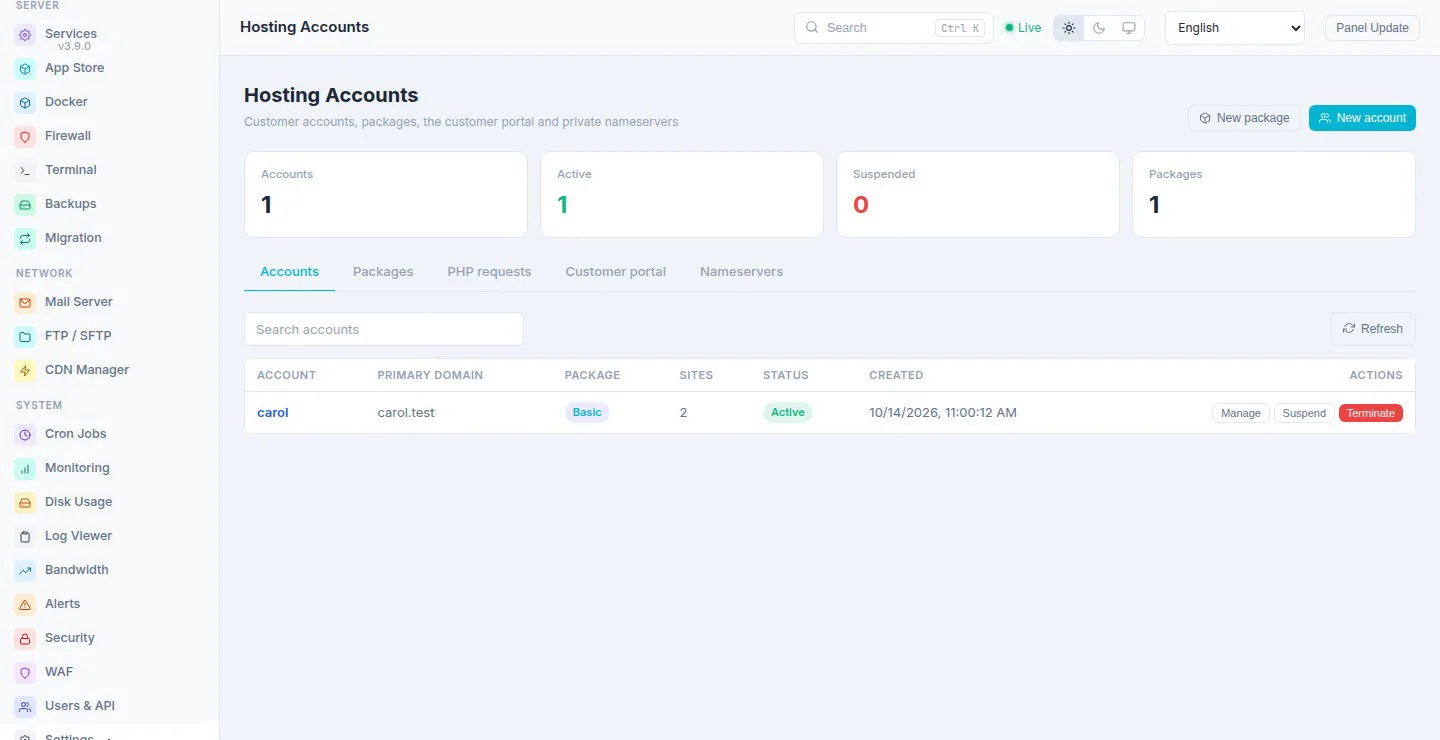
Packages
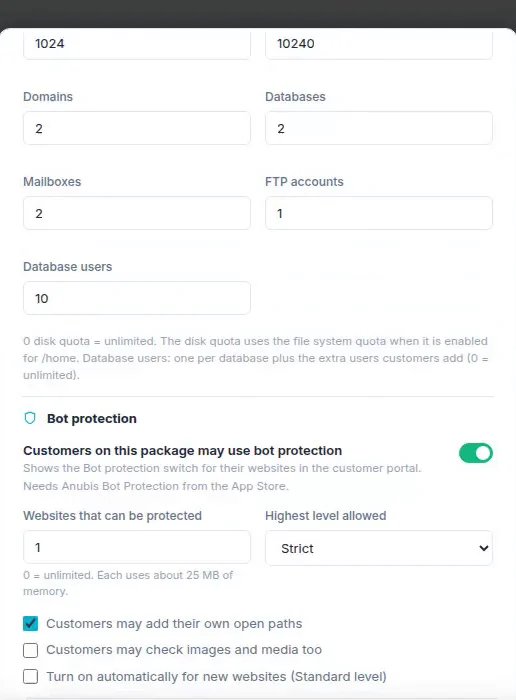
Disk, monthly bandwidth, websites, databases, database users, mailboxes and FTP accounts. Change a package and every account on it follows at once.
Resource limits
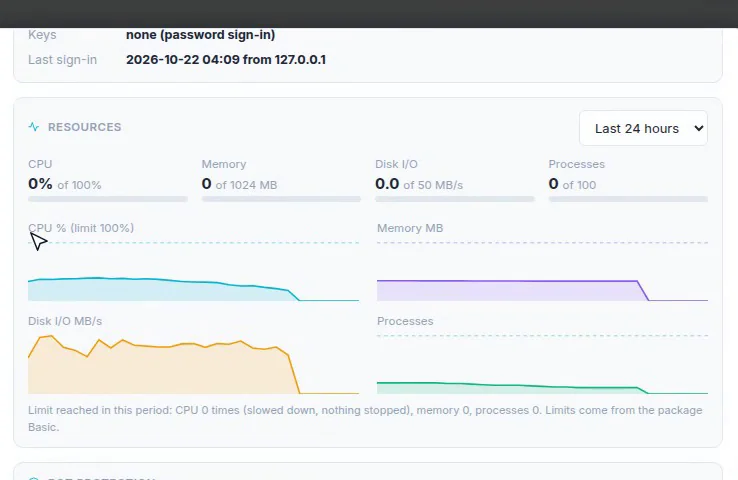
CPU, memory, disk I/O, processes and PHP workers per account, covering websites, PHP, cron and SSH. Each account runs its own PHP service.
Customer control panel
A separate panel on its own port: websites, WordPress, databases, files, email with webmail, FTP, DNS, backups, cron jobs and PHP settings.
SSH and SFTP
A restricted shell per package or account: only the customer's own folder, with git, composer, wp-cli, php, node and npm. No tunnels or port forwarding.
Email limits
Daily sending limits per mailbox and per account. Mail the customer's websites send through PHP counts too.
WHMCS module
Create, suspend, unsuspend, terminate, upgrade and change passwords from WHMCS, with single sign-on and daily usage. Setup guide
Pricing
One licence per server.
Buy as many licences as you have servers, in one order. Each licence is linked to one server IP and can be moved to another IP once every 30 days.
1 month
$3per server
Billed monthly
- Every Hosting Module feature
- Updates while the licence is active
- Unlimited customer accounts
6 months
$18per server
$3.00 a month, billed every 6 months
- Every Hosting Module feature
- Updates while the licence is active
- Unlimited customer accounts
12 months
$36per server
$3.00 a month, billed every 12 months
- Every Hosting Module feature
- Updates while the licence is active
- Unlimited customer accounts
Prices in US dollars, paid in advance with PayPal (PayPal balance or a card); licences do not renew by themselves. 15-day refund, no reason needed: write to [email protected] from the billing email.
How to buy
- Install VortexPanel on the server (free). Install guide
- Open Hosting Module in the panel's menu, choose the length and the number of servers, add the IPs of your other servers, and pay with PayPal.
- That's it. The licence is linked to this server's IP and the module installs by itself. On your other servers, open Hosting Module: the licence for that IP activates by itself.
Moving to a new server: change the licence's IP in your licence account, once every 30 days. The account is made with your first purchase; the purchase email has the link to set its password.
Questions before buying?
Ask on the forum or write to us. We answer pre-sales questions about features, limits and WHMCS.
Questions
Do I need the Hosting Module to host my own websites?
No. The free panel already hosts as many of your own websites as you like. The Hosting Module is for selling hosting to customers who sign in to their own control panel.
What happens if a licence ends?
Existing customer accounts, their websites, mail and the customer panel keep running. New accounts and package changes wait until the licence is active again.
Does it work without internet access to the licence server?
Yes, for 3 days. The panel checks the licence every 12 hours and keeps working through short outages.
Does a licence renew by itself?
No. Licences are paid in advance for 1, 6 or 12 months. The Hosting Module page shows a renewal box from 30 days before the end, and reminder emails arrive 7 days and 1 day before. Renewing adds the time to the current end date.
My server's IP changed. What now?
Change the licence's IP in your licence account. The panel on the new address activates it by itself. This is possible once every 30 days; support can help sooner.
Which VortexPanel version do I need?
VortexPanel 3.9.1 or newer to buy with PayPal. The WHMCS connection needs 3.9.
Can I use it on a VPS?
Yes, on any server VortexPanel supports: a VPS or a dedicated server.